
The practical decisions behind “How to Create Transitions That Help Tell a Story”
In practice, “How to Create Transitions That Help Tell a Story” succeeds or fails on decisions introduced in “A transition connects two states of the story.” Translate the communication goal into an audience action: understand, compare, decide, remember, or perform.
The practical challenge begins when general advice meets real content, real constraints, and a real audience. What information does the movement reveal that a static frame cannot show as clearly? Where should the eye land, how long does orientation take, and what happens for viewers who prefer or require reduced motion? The sections ahead use these questions to move from the central idea to concrete decisions, technical criteria, and an applied example.
A transition connects two states of the story
A transition is the relationship between what the audience just saw and what it will see next. It can express continuation, a new chapter, a contrast, a consequence, or a change in scale. Choosing the transition means deciding what that relationship is.
Start by describing the connection in words. “This step causes the next,” “we are moving to a different perspective,” or “the same pattern appears in another team” provides a clearer design direction than selecting an effect from a menu.
Match the movement to the narrative relationship
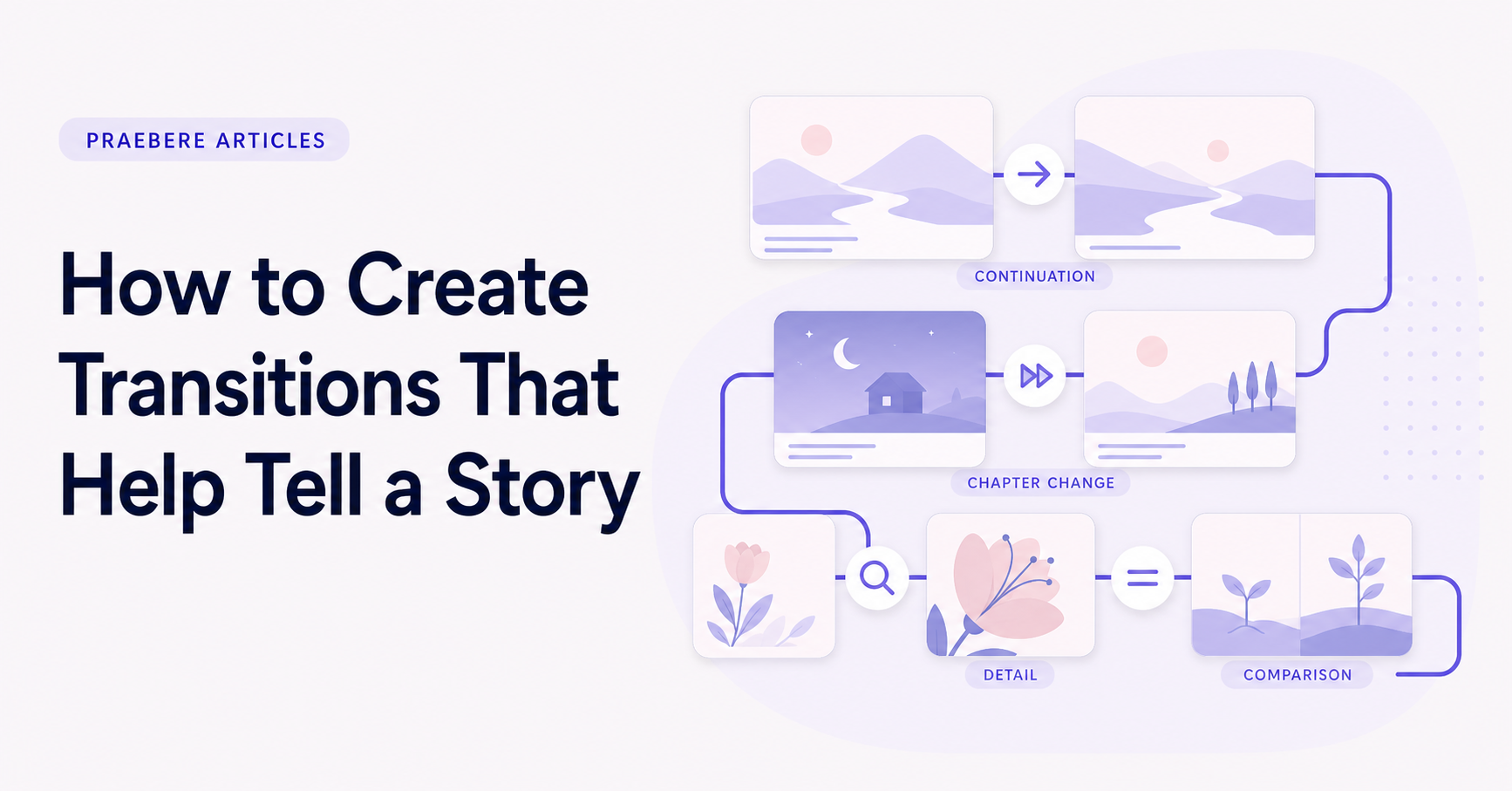
Related process steps can use a smooth move along the same direction. A new chapter may justify a wider reframe or a brief pause before the next view. A comparison can hold the frame stable while one state changes into another.
Do not use different movements merely to create variety. Consistent transitions teach the audience how the presentation is organized. Reserve a visibly different transition for a genuinely different narrative event.
- Continuation: preserve direction and scale.
- New chapter: create a clear visual break.
- Detail: move closer while keeping a landmark.
- Comparison: preserve alignment between states.
Prepare the transition and let it resolve
The audience should understand the starting frame before movement begins. Use narration or visual emphasis to indicate what matters, then transition toward the next subject. Beginning too early can make the viewer miss the original relationship.
After the movement ends, hold the destination long enough for the audience to recognize the new state. A transition that immediately triggers another effect never gives the story a stable moment in which meaning can settle.
Coordinate transitions with voice and sound
Narration can bridge the visual change by explaining why the story is moving to the next step. Time the relevant words so they lead into or accompany the transition, then allow the visual to arrive before introducing detailed information.
Sound effects are rarely necessary for ordinary slide transitions. If they are used, they should carry a specific narrative function and remain subtle. Voice, visual continuity, and pacing are usually enough to make the relationship clear.
Let the visual structure create the transitions
A connected diagram already contains possible transitions: connectors show direction, branches introduce alternatives, and grouped areas create chapters. Use that spatial logic as the path of the presentation instead of applying unrelated effects between frames.
In Praebere, the order of elements becomes the presentation journey. Smooth camera movement, zoom, and connector animation can carry the story between ideas, while narration or webcam video explains the meaning of each change. Preview the full sequence and keep only transitions that make the relationship easier to understand.
Technical implementation notes
Translate the communication goal into an audience action: understand, compare, decide, remember, or perform. Build a claim-evidence-reasoning chain and distinguish observed facts, interpretation, assumptions, uncertainty, and recommendations.
Use progressive disclosure: context first, then the model, evidence, exceptions, and implications. Define unfamiliar terms, keep labels close to what they describe, and test whether a reader can reconstruct the intended logic without the presenter present. The most relevant concepts here are storytelling transitions, presentation transitions, slide transitions. Define them when first used and apply each term consistently to an observable element, rule, or outcome.
- Audience and intended action are explicit
- Claims remain connected to evidence
- Assumptions and uncertainty are labeled
- Sequence ends with a clear implication or next step
Worked example: How to Create Transitions That Help Tell a Story
Picture a five-step incident-response diagram. Keep the complete map stable, then move the camera to the active node over roughly the time needed to orient the viewer. Reveal the outgoing connector only when explaining the handoff, and pause before changing direction at a decision.
Compare the animated version with a static overview. If movement does not clarify sequence, state change, or spatial relationship, remove it. Also preview a reduced-motion treatment using cuts or gentle fades so the explanation does not depend on sweeping zooms.
Conclusion
From a transition connects two states of the story to let the visual structure create the transitions, the discussion treated “How to Create Transitions That Help Tell a Story” as a set of connected decisions. The example demonstrated how those decisions influence the result when real constraints and edge cases appear.
Our judgment after considering the full article is that storytelling in presentations should clarify the path from context to resolution, not manufacture suspense. Narrative earns its place when it helps the audience understand why the evidence matters and where it leads.
Create the visual journey
Turn your process into a presentation
Build the diagram, choose the sequence, add narration or webcam video, and preview the camera movement in your browser.
Open Praebere