
A closer look at the decisions behind “Narrative Structure for Business Presentations”
The most useful entry point into “Narrative Structure for Business Presentations” is not decoration, but the problem captured by “A business narrative should support a decision.” Translate the communication goal into an audience action: understand, compare, decide, remember, or perform.
The practical challenge begins when general advice meets real content, real constraints, and a real audience. What question carries the audience from the opening to the conclusion, and why should the answer matter to them? How can context, evidence, tension, examples, and resolution form a coherent path without manipulating or oversimplifying the facts? The sections ahead use these questions to move from the central idea to concrete decisions, technical criteria, and an applied example.
A business narrative should support a decision
The purpose of narrative in a business presentation is not entertainment for its own sake. It gives information an order that helps people understand a situation and decide what to do. A strong structure connects facts, constraints, options, and consequences without hiding uncertainty.
Define the decision or action before building the deck. If the audience only needs awareness, state what they should remember. If approval, feedback, or ownership is required, make that expectation visible near the beginning and return to it at the end.
Establish the situation, complication, and question
Begin with the relevant current state. Provide enough shared context for the audience to understand the subject without turning the opening into a history lesson. Then introduce the development that makes the current state insufficient: a risk, opportunity, change, dependency, or conflicting goal.
The complication should lead to a clear question. Which option should be selected? How can a delay be removed? What must change to reach the target? That question gives the middle of the presentation a job: assembling the evidence required to answer it.
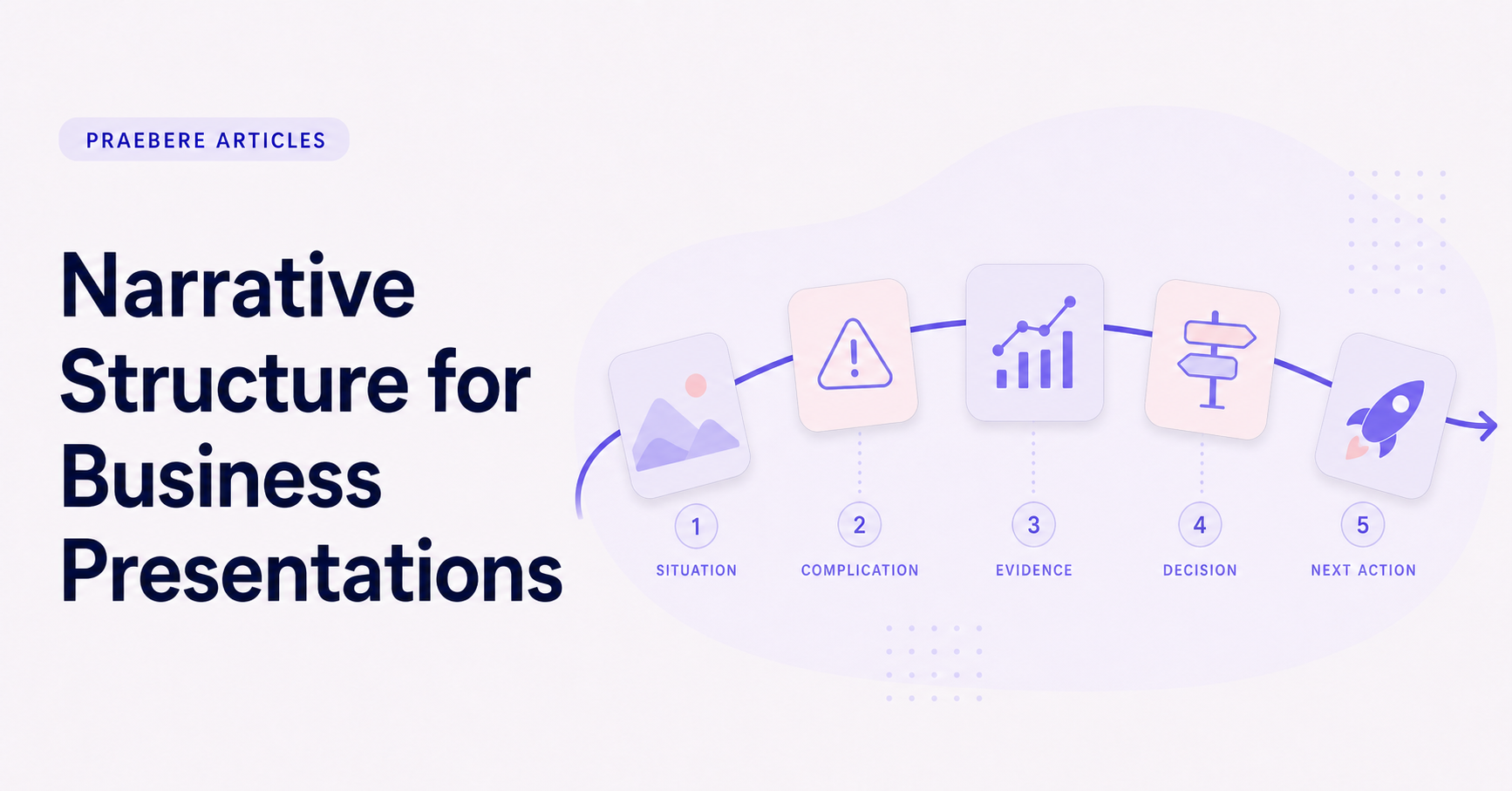
- Situation: what is true now.
- Complication: what creates a need for change.
- Question: what the audience must resolve.
- Answer: the recommendation and its supporting logic.
Organize evidence around the argument
Do not present research in the order it was collected. Group evidence by the claims it supports. Each section should make one point, show the relevant evidence, and explain how that point affects the decision.
Separate facts from assumptions and projections. Label sources and time periods where they matter. When evidence is incomplete, show the uncertainty and explain how it influences the recommendation instead of presenting a precise conclusion that the material cannot support.
Compare options using consistent criteria
A recommendation is more credible when the alternatives are represented fairly. Define the criteria before announcing the preferred option, then evaluate each path with the same measures. A visual matrix or branching process can make trade-offs easier to inspect.
Include the cost of inaction when it is a genuine option. Avoid treating it as automatically unacceptable; describe what remains the same, what risks continue, and when the decision would need to be revisited.
Close with ownership and the next action
End by stating the recommendation, the reason it follows from the evidence, and the action required from the audience. Identify the owner, immediate milestone, and unresolved question. A conclusion is stronger when it starts the next step rather than merely signaling that the presentation is over.
Praebere can support this structure with one connected visual board. The camera sequence can move from the current situation through evidence and decision paths to the proposed outcome, creating an edited-feeling video without requiring a traditional video timeline.
Technical implementation notes
Translate the communication goal into an audience action: understand, compare, decide, remember, or perform. Build a claim-evidence-reasoning chain and distinguish observed facts, interpretation, assumptions, uncertainty, and recommendations.
Use progressive disclosure: context first, then the model, evidence, exceptions, and implications. Define unfamiliar terms, keep labels close to what they describe, and test whether a reader can reconstruct the intended logic without the presenter present. The most relevant concepts here are business presentation structure, business storytelling, narrative presentation. Define them when first used and apply each term consistently to an observable element, rule, or outcome.
- Audience and intended action are explicit
- Claims remain connected to evidence
- Assumptions and uncertainty are labeled
- Sequence ends with a clear implication or next step
Worked example: Narrative Structure for Business Presentations
Consider a proposal to reduce customer wait time. Open with the current customer journey and measured delay, explain the operational bottleneck, compare two credible interventions, and reveal the recommendation only after the decision criteria and evidence are visible.
Keep observed data separate from interpretation and state the assumptions behind the forecast. The ending should resolve the opening question with an owner, next action, and measure of success, so narrative structure supports a real decision rather than manufacturing suspense.
Conclusion
Seen as a whole, the sections on a business narrative should support a decision, establish the situation, complication, and question, organize evidence around the argument, compare options using consistent criteria, and close with ownership and the next action move from explanation to application. They show that “Narrative Structure for Business Presentations” depends on both a clear concept and disciplined execution.
We believe the practical standard should be clear: business communication should connect evidence and uncertainty to a decision, owner, and next action. Concision is useful only when it preserves the context required to act responsibly.
Create the visual journey
Turn your process into a presentation
Build the diagram, choose the sequence, add narration or webcam video, and preview the camera movement in your browser.
Open Praebere